

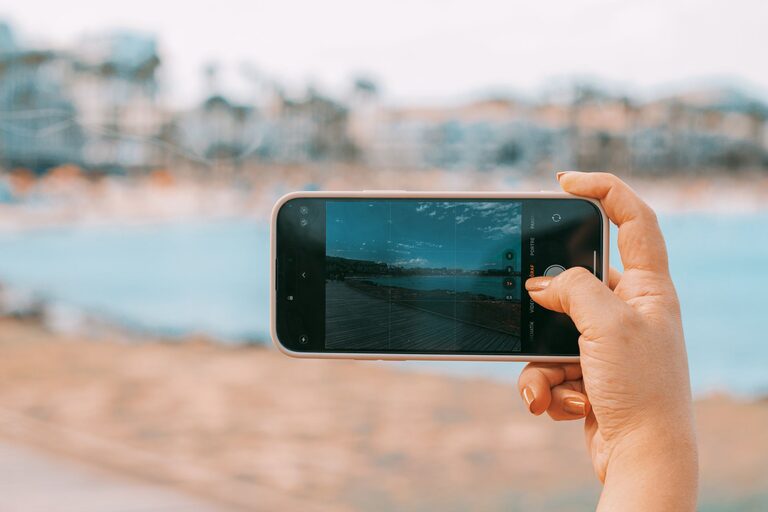
Taking great photos with your phone is easier than ever thanks to modern smartphone cameras. Whether you want to capture memorable moments, share your adventures on social media, or simply improve your photography skills, these beginner tips will help you take better phone photos. Let’s explore some practical advice that anyone can use to create clearer, more interesting, and visually appealing images.
Understand Your Phone Camera Features
Before taking photos, spend some time exploring your phone camera’s settings and features. Most smartphones have multiple modes like portrait, panorama, and night mode.
– Learn about focus and exposure: Tap on your screen to set focus on your subject. Adjust brightness by sliding your finger up or down after tapping.
– Try different camera modes: Portrait mode blurs the background for sharp subject emphasis, while panorama captures wide scenes.
– Use grid lines: Turn on the grid in camera settings to apply the “rule of thirds,” which helps compose balanced and engaging photos.
Keep Your Lens Clean
A clean lens is essential for sharp, clear images. Phone lenses gather fingerprints, dust, and smudges easily.
– Wipe your lens gently with a microfiber cloth.
– Avoid using abrasive materials that can scratch the lens.
– Clean your lens regularly, especially before important shots.
Find Good Lighting
Lighting is one of the most important factors in photography, including phone photos.
– Natural light is best: Whenever possible, take photos outside or near windows during daylight.
– Avoid harsh sunlight: Direct midday sun can cause unwanted shadows and highlights. Look for soft, diffused light during mornings or evenings.
– Use artificial light wisely: When indoors, try to position your subject close to light sources and avoid mixing different color lights which can alter colors.
Compose Your Shots Thoughtfully
Composition can make a simple photo look professional.
– Apply the rule of thirds: Imagine dividing your frame into three equal parts horizontally and vertically. Place key elements along these lines or their intersections.
– Keep backgrounds simple: Remove distracting objects or clutter that take attention away from your subject.
– Experiment with angles: Don’t always shoot at eye level. Try low angles, high angles, or close-ups for creative perspectives.
– Use leading lines: Paths, fences, or shadows can lead the viewer’s eye toward the main subject.
Keep Your Phone Steady
Blurry images are often caused by phone shake.
– Hold your phone with both hands and keep your elbows close to your body.
– If possible, rest your phone on a stable surface or use a small tripod designed for smartphones.
– Use the self-timer to avoid shaking when pressing the shutter button.
Avoid Digital Zoom
Digital zoom reduces image quality by cropping and enlarging photos.
– Instead of zooming, move closer to your subject physically.
– If you need zoom, try using your phone’s optical zoom lens, if available.
– Crop your photo after taking it to keep the best detail.
Experiment with Editing Apps
Post-processing can improve your photos significantly.
– Use simple photo editing apps to adjust brightness, contrast, and saturation.
– Crop photos to improve composition or remove unwanted areas.
– Avoid over-editing, which can make photos look unnatural.
– Some popular free apps include Snapseed, VSCO, and Lightroom Mobile.
Practice Regularly and Learn from Others
The best way to improve is to practice.
– Take photos daily or whenever you have free time.
– Review your photos to see what worked well or what could be improved.
– Follow photography blogs, Instagram accounts, or YouTube channels for inspiration.
– Join online photography communities to share your work and get feedback.
Summary
Taking better phone photos doesn’t require expensive equipment or expert skills. By understanding your camera features, using good lighting, composing thoughtfully, keeping your phone steady, avoiding digital zoom, and using editing tools, you can create beautiful images with just your smartphone. Keep practicing and exploring, and you’ll see your photography improve over time!
Happy shooting!